
Configure OpenAPI, origins, and authentication
Connect your real API with origin URLs, credentials, routing, and any request or response adaptations it needs.
On this page
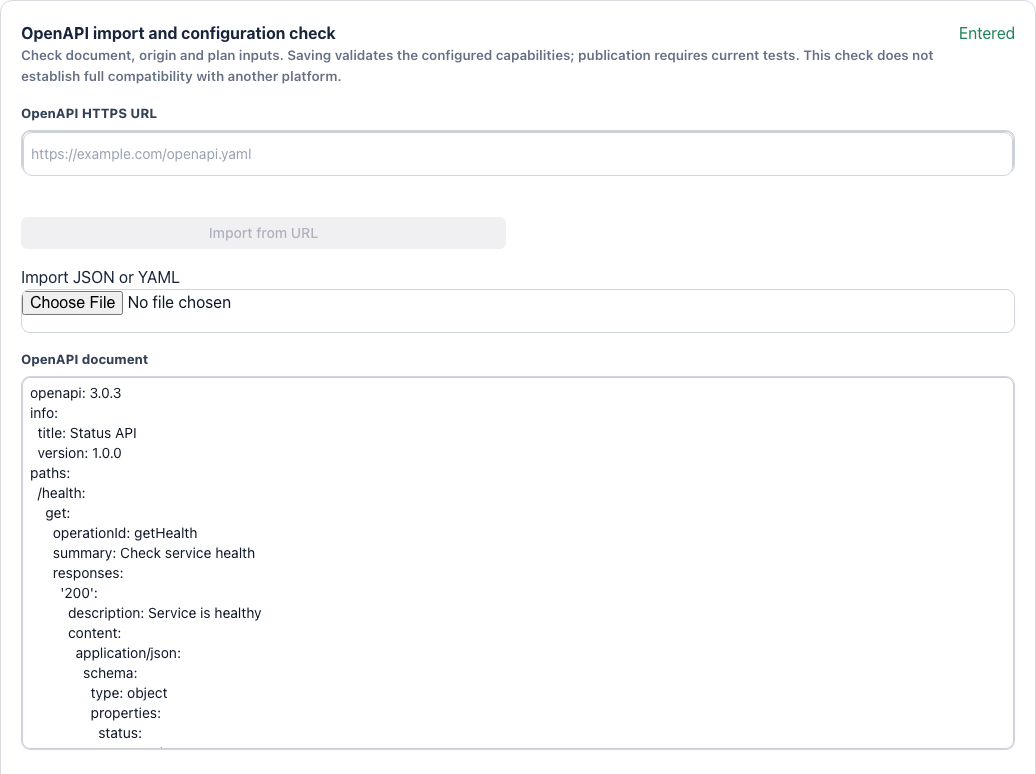
Import or update the API document
- Open Endpoint in the product editor. Upload JSON/YAML, paste the document, or enter an OpenAPI HTTPS URL and select Import from URL.
- Use a self-contained OpenAPI 3.0.x or 3.1.x document no larger than 5 MiB. Internal $ref references are supported; merge external files and URL references into the document first.
- Save and check the parsed HTTP methods and paths, then configure each plan’s endpoint access under Pricing.
Set origin groups and routing
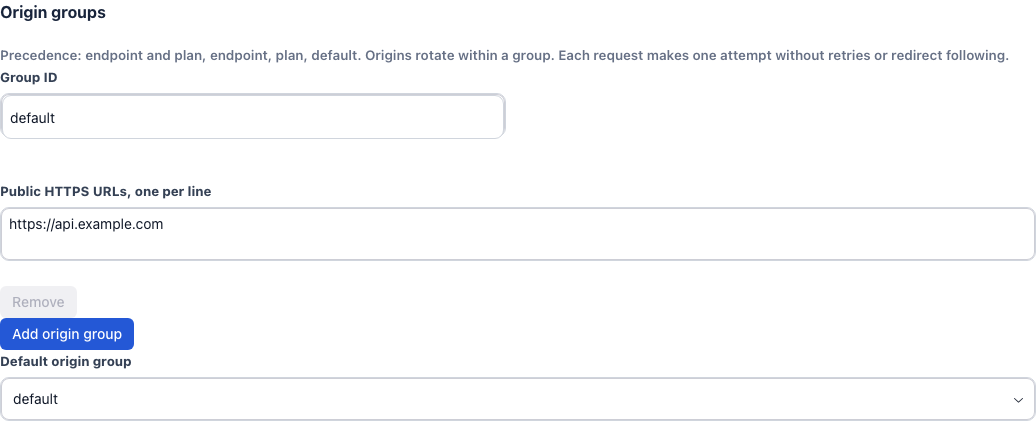
- Under Origin groups, enter a group ID and public HTTPS URLs, one per line. Choose a Default origin group for requests without a more specific rule.
- To route an endpoint elsewhere, choose its destination group. Forwarding is the same for every plan.
- Rules take precedence in this order: endpoint and plan, endpoint, plan, then default. URLs rotate within a group, with one origin attempt per request.
Add origin credentials
- Under Origin credentials and trusted context, select Add injected field. Choose Header or Query, a field name, and a value source.
- For an origin requiring Authorization: Bearer …, choose Header, set the name to Authorization, choose Stored secret, and enter the complete Bearer prefix and real token.
- To include a buyer ID or plan code, choose Trusted Invokora context and the corresponding context field. Use the endpoint scope to limit where the field applies.
- Secrets are hidden after saving. Leaving the value blank on a later edit retains the stored value. Keep origin secrets out of product descriptions and public OpenAPI examples.
Add transformations only when adaptation is needed
More settings
- Under Request and response transformations, select Add transformation. Choose the request or response phase, target, and an add, remove, copy, or rename operation.
- Limit the rule to the intended endpoints and Content-Type where needed. Use /path JSON Pointers for JSON fields.
- Save and retest the affected endpoints. Check that the outgoing request and returned result still match your public documentation.
Save, test, and publish changes
- Set Origin timeout between 1 and 180 seconds and Maximum request/response body no higher than 50 MB, then save.
- Under Test endpoints, test each granted endpoint once. Every URL in each effective origin group needs a passing test.
- Review the preview and publish. Saving a draft alone does not update the public product.